What to look for in a music player app for a young child
By James Harrell · November 11, 2026
A 3, 4 or 5 year old can't read a song title or use a search box. A good music player for that age shows pictures to tap, has a few big buttons, and plays only what you've said yes to.
I make Jukebug, a kids music player for iPad and iPhone that works with Apple Music, so weigh my view with that in mind. This is the list I built it around.
What to look for
- Pictures instead of words. Little ones find a song by its artwork.
- Only the songs you chose, with no search box and no endless catalog.
- A lock on the grown-up parts, so settings and purchases stay with you.
- No ads.
- Music that keeps playing without internet, for the car and for planes.
- A music subscription you already pay for, so you aren't buying a second one.
- A free version you can keep using, so you can see how your little one gets on with it.
How Jukebug handles each one
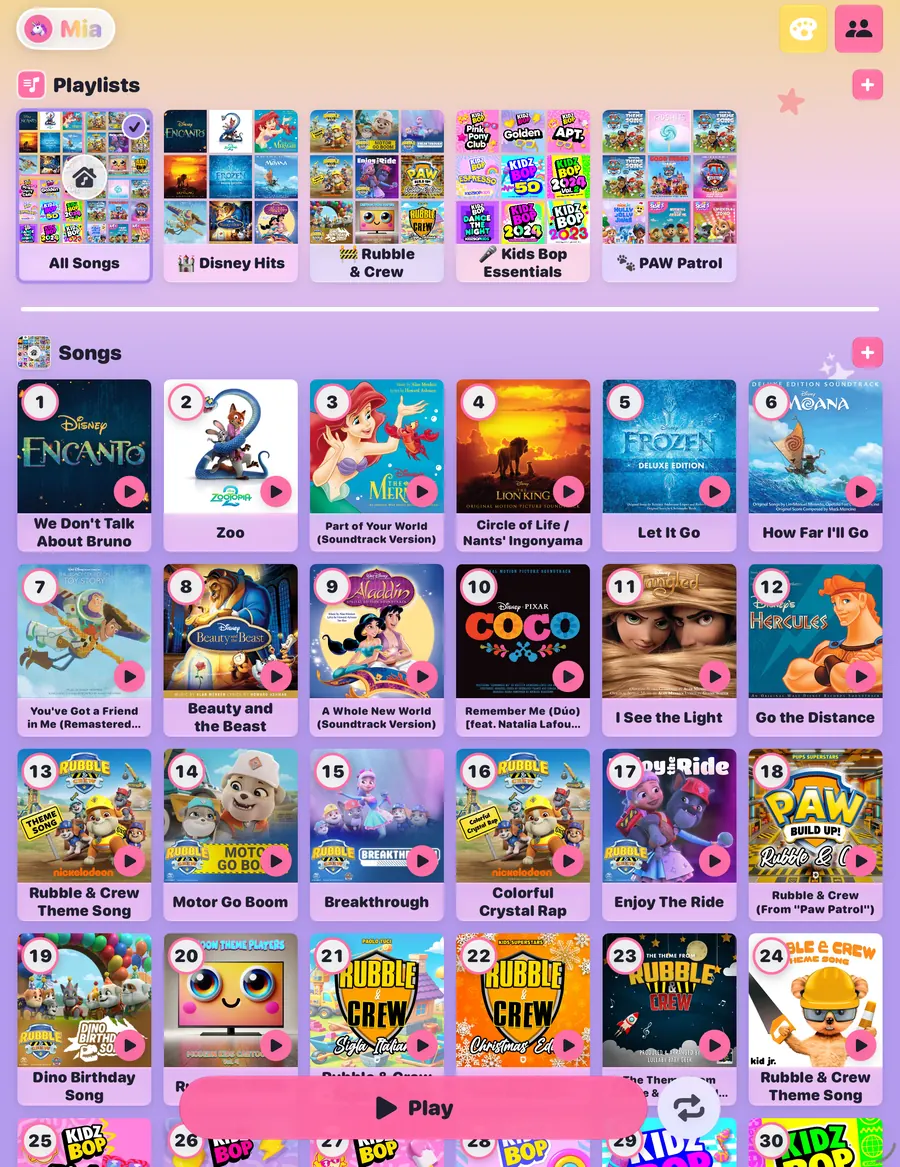
A grown-up searches Apple Music and adds songs, albums or whole playlists, and each child gets a profile with their own songs and theme. Little ones see big artwork tiles with track numbers, and large Play, Stop and Repeat buttons. Their screen has no search and no way to browse Apple Music.
Settings and purchases sit behind a grown-up check, which is a math question or a PIN. There are no ads and no tracking. Jukebug works on iPad, iPhone and CarPlay, and it plays downloaded songs without internet. The music comes from the Apple Music subscription you already have.
What's free in Jukebug
Everything a little one needs to play their music is free. That covers adding as many songs and playlists as you like, the kids' player, offline play, CarPlay, sharing with family through iCloud and your first kid profile. It isn't a trial, so it doesn't run out.
Premium is optional. It adds extras such as more kid profiles, more themes and a bedtime wind-down.
Jukebug is a good fit if
- You already pay for Apple Music and don't want a second music subscription.
- You want to choose every song your little one can play.
- They share your phone or iPad, and you want your own library kept out of reach.
- Your little one is too young to read menus or search.
Jukebug only plays Apple Music, and there's no Android version.
If you'd rather not add an app
Settings that are already on the iPad get you part of the way. Guided Access locks the screen to one app, and Screen Time can block explicit songs. The steps are in my other guide, how to let a toddler use Apple Music without your library.
Whichever way you go, download the songs before a trip. Downloaded songs keep playing without internet.
More about Jukebug: how it works, the FAQ, and more guides.