Jukebug: Music Player for Kids
A music player for little ones, with only the Apple Music songs you pick. It uses the Apple Music subscription you already have, and your own library stays out of reach.
Free to download. Needs an Apple Music subscription. Works on iPhone, iPad and CarPlay.
How it works
Step 1
You add the songs
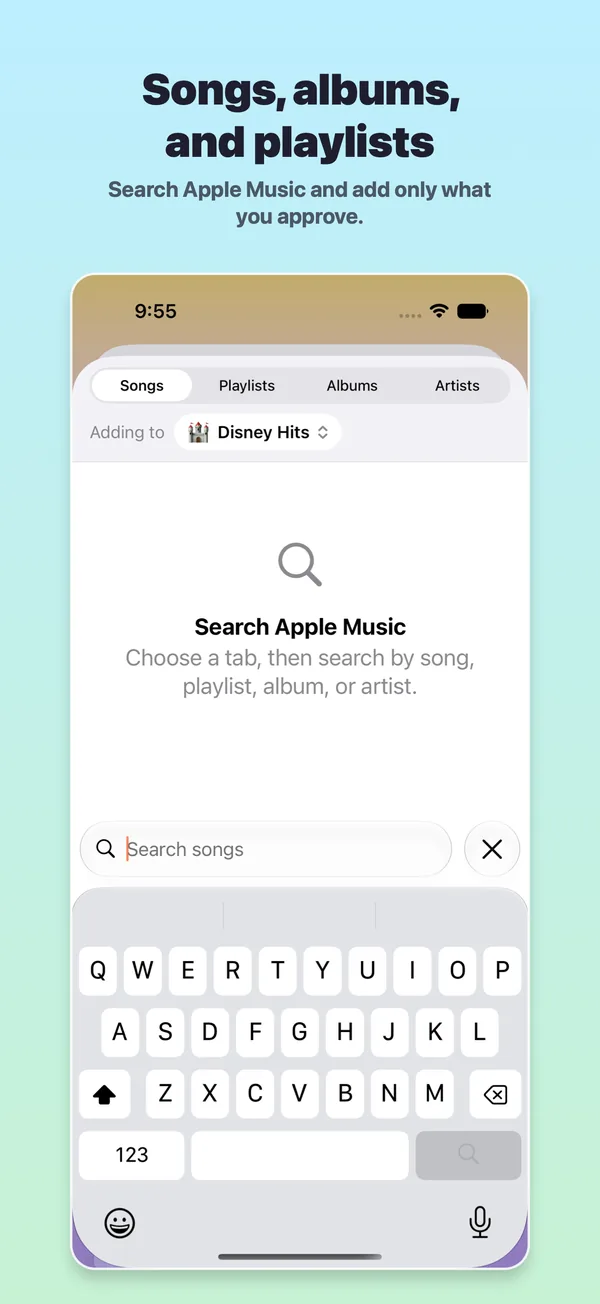
Search Apple Music for songs, albums, artists or playlists. Preview a song before you add it, or import a whole album or playlist at once.
Step 2
Give each child their own space
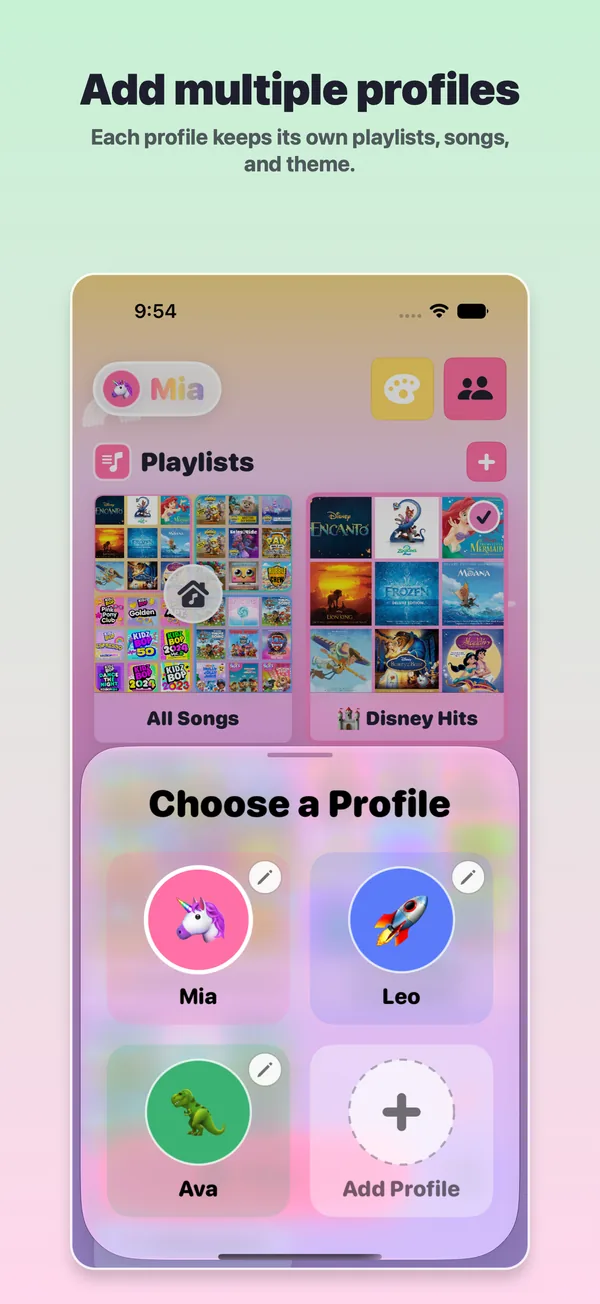
Each child gets a profile with their own playlists, songs and theme. Your own playlists stay as they are.
Step 3
Hand it over
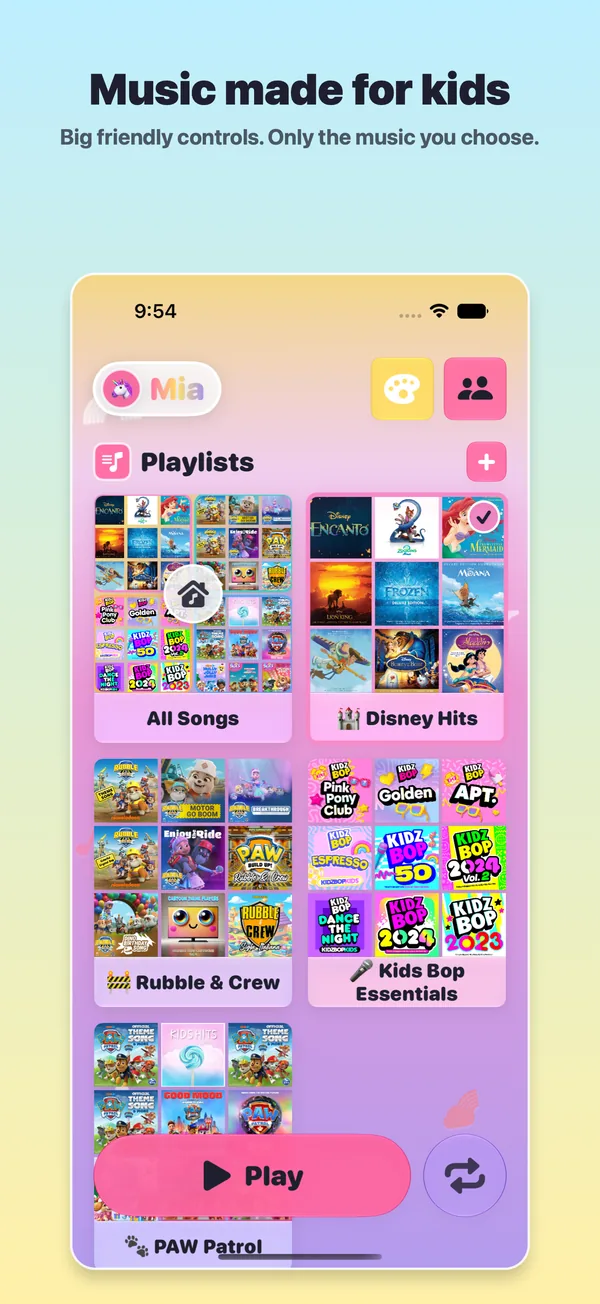
Your little one taps big artwork tiles and a big Play button. They only ever see the songs you added.
What grown-ups can do
- Add single songs, or import whole albums and playlists from Apple Music.
- Link an Apple Music playlist, and songs you add to it show up in Jukebug too.
- Explicit songs and music videos are always kept out.
- Share profiles and playlists with family through iCloud.
- See which songs are downloaded and ready to play offline.
- Keep settings behind a grown-up check: a math question, or a PIN.
What little ones see
- Big Play, Stop and Repeat buttons.
- Large artwork tiles for songs and playlists.
- Track numbers and simple navigation.
- Their own theme and playlist emoji.
- The same songs in the car, with CarPlay.
No ads. No third-party analytics. No tracking.
Jukebug is made for children ages 3 and up, and it's in the App Store's Kids category. It sends nothing to the developer on its own. When you're signed in to iCloud, profiles and playlists sync through your own iCloud account, not to anyone else.
Free, with optional Premium
The free app covers Apple Music setup, making and importing playlists, adding songs, your first kid profile, the kids' player, and offline play for songs you've downloaded.
Premium adds more kid profiles, extra themes, custom playlist colors, an offline playlist that updates itself, and a bedtime wind-down that dims the screen and stops the music at a time you choose. Playing music is always free.
What you need
- An iPhone or iPad on iOS or iPadOS 17 or later.
- An Apple Music subscription, signed in on that device.
- For the car, a car or stereo with CarPlay.
Songs available can vary by region and account.
Common questions
Will my child see my Apple Music library?
No. The kids' screen only shows the songs and playlists you added in Jukebug.
Does it work in the car?
Yes. On the CarPlay screen, Jukebug shows only the songs and playlists you approved.
Try Jukebug with your little one
Free on the App Store for iPhone and iPad.
Get Jukebug on the App Store